

AI Video Extender · 01 / Anchor
Start from a compatible result
The source task preserves model context that an AI Video Extender needs for continuity. Using the real task ID is more reliable than pretending every arbitrary video upload is supported.
Last frame → the next beat
Continue what happens after a generated clip ends. AI Video Extender creates new future frames that follow the existing subject, motion, camera direction, lighting, and atmosphere instead of looping or stretching the original footage.
This page uses the compatible-generation workflow available in Artaivo: paste the source task ID from a Veo 3.1 result, describe the next action, and extend that video. It does not claim arbitrary upload support that the selected model cannot provide.
Compatible clip continuation
Enter the task ID from a compatible Veo 3.1 generation, then choose a continuation starter or describe what happens next. AI Video Extender uses the source result as continuity evidence rather than asking you to rebuild the shot.
AI Video Extender · connected video studio
Keep AI Video Extender as your current workflow, then move into generation, animation, motion transfer, restyling, extension, or restoration without leaving Artaivo.
What this search really means
People searching for an AI Video Extender want the story or movement to continue beyond the last frame. That is temporal extension. This page deliberately separates it from image outpainting, aspect-ratio expansion, looping, and slow motion.
AI Video Extender · 01 / Anchor
The source task preserves model context that an AI Video Extender needs for continuity. Using the real task ID is more reliable than pretending every arbitrary video upload is supported.
AI Video Extender · 02 / Continue
The source clip already establishes the scene. Focus the prompt on the immediate next action, camera reveal, subject reaction, or natural settling motion.
AI Video Extender · 03 / Match
Ask the AI Video Extender to keep identity, direction, camera path, lens, lighting, environment, and visual style consistent across the seam.
How AI Video Extender works
A strong AI Video Extender request begins where the source generation ends. The task ID supplies the source, and the continuation prompt gives only the next piece of direction.
AI Video Extender · 01
Open a compatible Veo 3.1 result generated in Artaivo and copy its task ID. The current extension model uses that identifier instead of accepting an unrelated external upload.
AI Video Extender · 02
Choose a starter or write one immediate action. Avoid introducing several new characters, a new location, and a camera cut in the same extension request.
AI Video Extender · 03
Review the frames around the original ending. Check subject scale, motion direction, camera speed, lighting, and background geometry before chaining another extension.
Continuity examples
An AI Video Extender performs a temporal prediction. These examples define a clear next action while keeping the physical scene and light coherent.

AI Video Extender example
The surfer moves through the turn in ordered frames. Direction, water physics, body posture, and sunset light all continue across the added time.

AI Video Extender example
The hand enters, grips the cup, and lifts it while steam and window light remain consistent—one small action with a readable ending.
AI Video Extender example
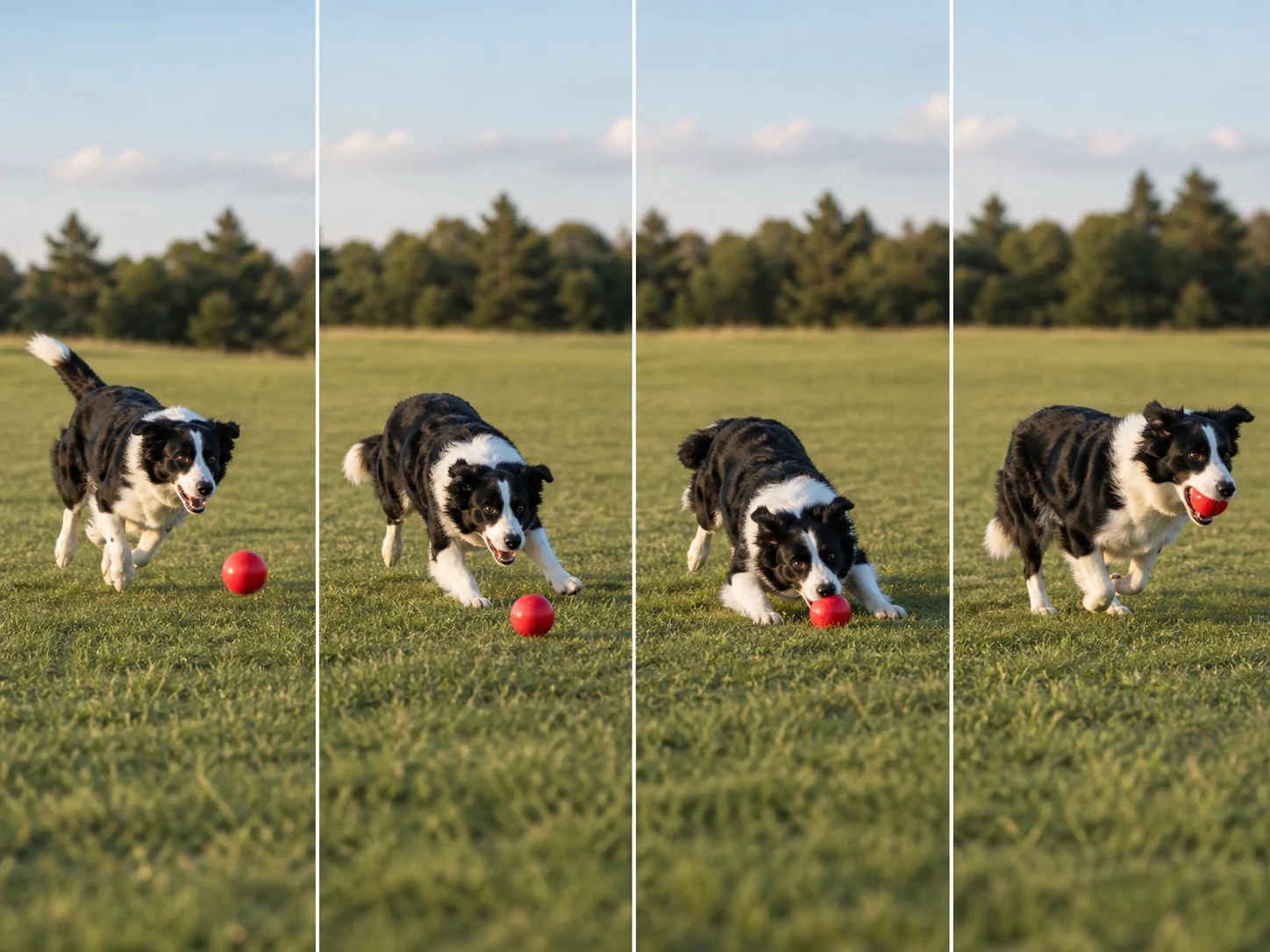
Four ordered frames carry the same dog from approach to catching the ball, maintaining direction, scale, field geometry, and afternoon light.
AI Video Extender example
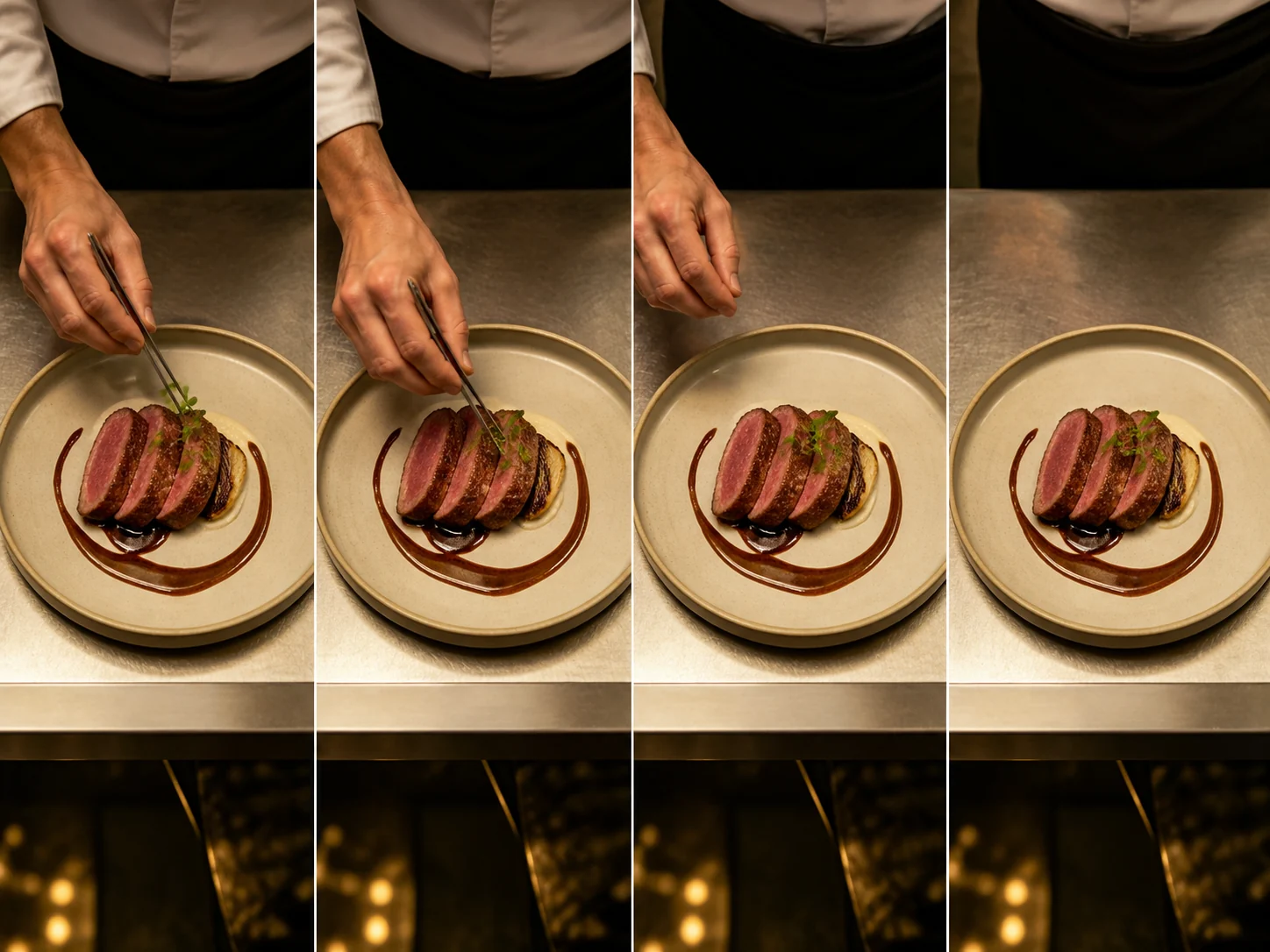
The chef places one garnish and withdraws the hand. The locked overhead view makes plate shape and lighting continuity easy to judge.
Continuity controls
AI Video Extender quality is determined at the join. Direct the future action while protecting the visual facts already established by the source generation.
AI Video Extender control
If a subject moves left to right or the camera pushes forward, keep that vector unless the next action explicitly calls for a gradual change.
AI Video Extender control
A new location, lens, season, cast, and action in one request creates a cut rather than a seamless extension. Change one story beat at a time.
AI Video Extender control
Preserve lighting, palette, lens character, weather, atmosphere, and rendering style when the match across the final source frame matters.
AI Video Extender control
Review each new segment before extending again. Small continuity errors become more visible when several generated continuations are chained together.
This page owns “what happens next?” It does not expand the visible canvas, change aspect ratio, loop existing frames, or slow footage down to create artificial duration.
Use AI Video Extender for
Use another workflow for
Related to AI Video Extender
An AI Video Extender generates new frames after a video’s final frame. It predicts the next motion and scene state while trying to preserve subject identity, camera behavior, lighting, and visual style.
The current default workflow extends a compatible Veo 3.1 generation using its source task ID. The page does not advertise arbitrary upload support because the selected model does not provide it.
No. Looping repeats existing frames. An AI Video Extender creates new future frames that continue the action, so the subject and story can progress beyond the original ending.
Describe one immediate next action and name the continuity anchors to preserve: subject, movement direction, camera path, lens, environment, lighting, and atmosphere.
You can continue from compatible results, but review every seam before chaining another pass. Identity drift, changing geometry, or altered camera speed can compound across multiple extensions.
The scene does not have to stop there
Use a compatible task ID and a focused continuation beat to let AI Video Extender carry the shot forward.
Continue a video