
Sky, wall, sand, or soft blur
Use remove date stamp from photo on smooth or slowly changing backgrounds where the selection boundary contains colors that can continue naturally through the date.
01Local date selection · browser-based repair
Use the remove date stamp from photo tool to draw around a visible camera date or time overlay, repair the selected area from nearby pixels, compare the preview, and download a PNG without uploading the image.
1
local selection
0
uploads
PNG
download
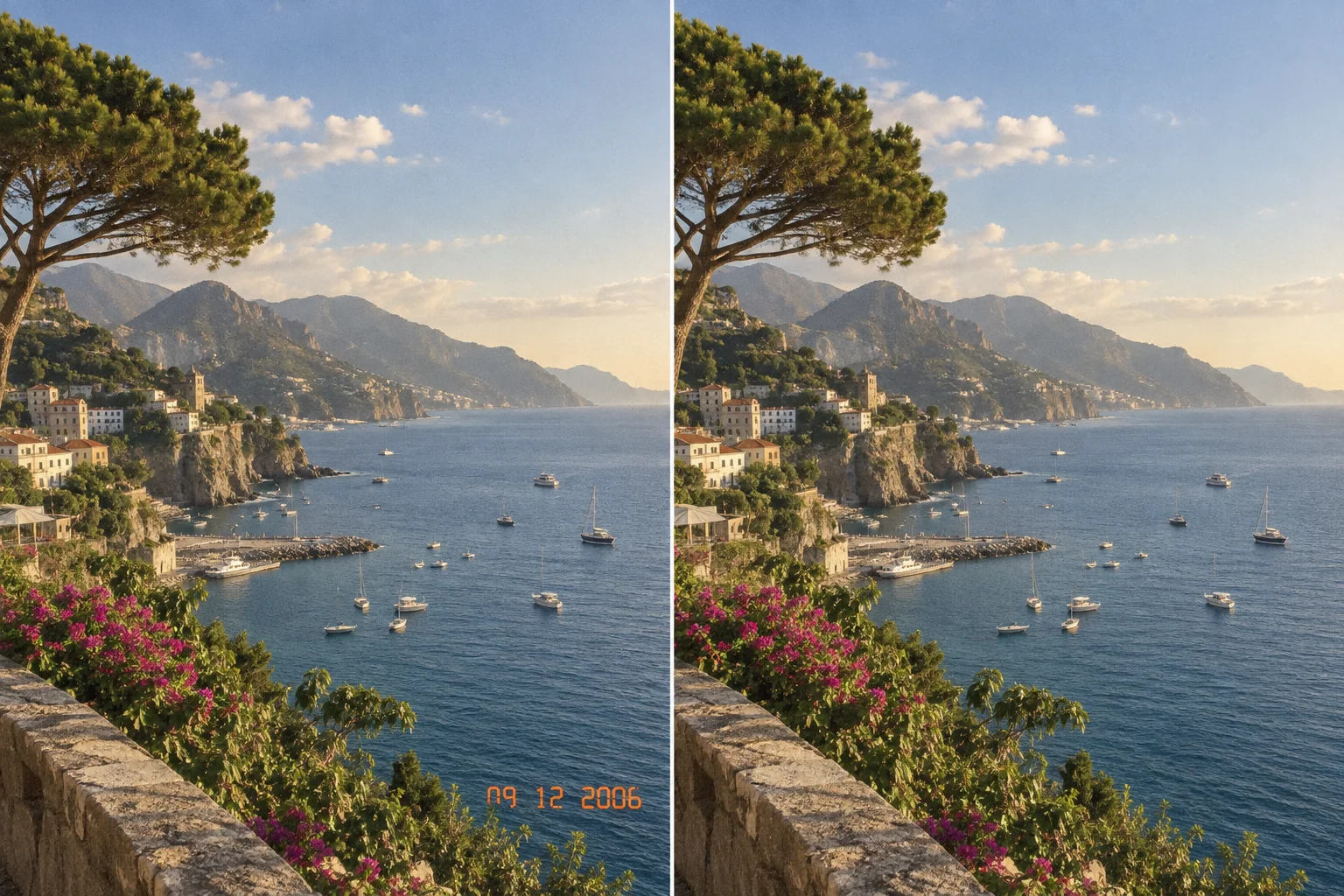
Working local repair tool
Upload a photo, drag a tight rectangle around the printed date or time, and run the remove date stamp from photo repair. The browser blends inward from the selection boundary, preserves the original canvas size, and lets you compare the result before downloading.
Photo preview
Upload a photo to begin.
Your photo and selection will appear here. The image remains in this browser.
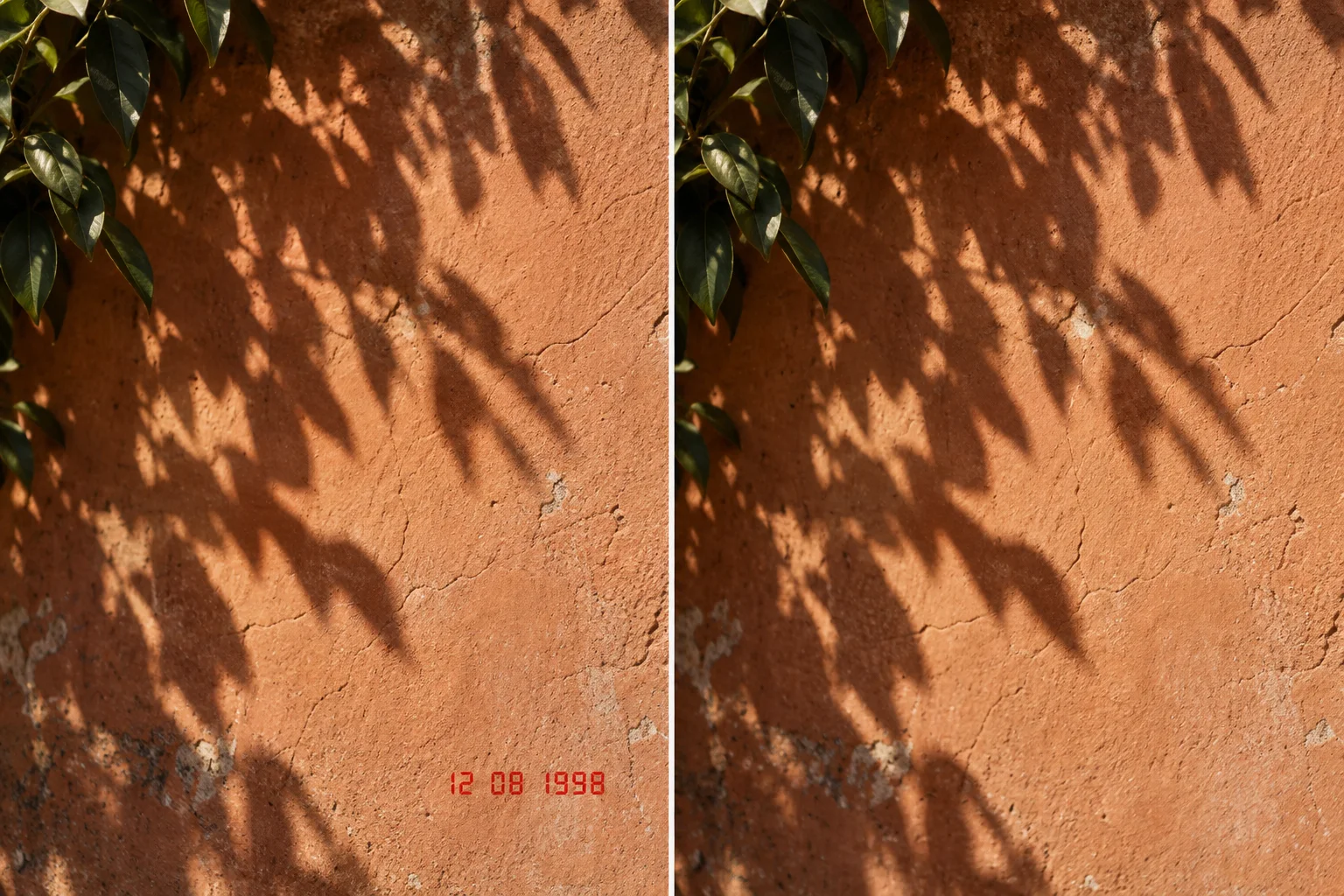
Repair the texture beneath the date
Select only the printed date, feather the repair into nearby texture, and compare the result before downloading a new PNG.
A precise local task
The remove date stamp from photo tool is for a visible raster date that has already been burned into image pixels. It lets you mark the affected area and reconstruct a plausible patch from the immediately surrounding color and texture while leaving pixels outside the selection unchanged.
Use remove date stamp from photo on smooth or slowly changing backgrounds where the selection boundary contains colors that can continue naturally through the date.
01The remove date stamp from photo repair can blend color across complex texture, but repeating patterns may look soft or interrupted and deserve close review.
02If you remove date stamp from photo areas that overlap a face, sign, vehicle edge, or small object, local blending may erase meaningful structure rather than recreate it.
03Old compact cameras often printed orange, red, yellow, or white dates in a lower corner. Cropping can hide the mark, but it also removes part of the scene and changes composition. The remove date stamp from photo workflow keeps the full image dimensions and uses remove date stamp from photo repair only inside the rectangle you draw.
The repair is local and deterministic in your browser. When you remove date stamp from photo files with sky, wall, sand, water, road, or other relatively continuous texture behind the digits, nearby boundary pixels often provide enough information for a useful patch. You can repeat the repair with a tighter or wider selection if the first preview leaves a colored edge.
No remove date stamp from photo tool can reveal the exact historical pixels hidden by an opaque date. The remove date stamp from photo result is a reconstruction, not recovery. Keep the original photo, inspect the repaired area at full size, and avoid presenting invented detail as documentary evidence when the timestamp covered something important.
How to use the selector
A good selection helps the remove date stamp from photo repair borrow the correct surrounding colors. Include the full glow, shadow, antialiasing, and punctuation around the digits, but avoid unrelated edges whenever possible.
Upload the original JPG, PNG, or WebP. The remove date stamp from photo tool rejects unsupported files and very large images before processing.
Press and drag from one corner of the visible date to the opposite corner. The remove date stamp from photo selector shows the rectangle over the preview and reports its image-pixel coordinates.
Leave a few pixels around bright digits so the colored fringe is included. A remove date stamp from photo selection that is too tight can leave an orange or white outline.
Choose Repair selection and compare the selected corner with nearby texture. If needed, undo and draw a revised remove date stamp from photo selection.
Download the PNG only after the patch passes normal-size and zoomed review. The remove date stamp from photo tool keeps the source dimensions but converts the downloaded copy to PNG.
The remove date stamp from photo feather setting controls how softly the new patch meets the untouched photograph. A small value keeps the selected area more distinct; a larger value can hide a rectangular seam on gradual backgrounds. When you remove date stamp from photo corners with a strong horizon or object edge, a large feather may blur that structure, so compare more than one setting.
If the date has two separated rows, you can select both together when they share the same simple background. For a wide gap across important detail, use one tight rectangle for the combined mark only if the remove date stamp from photo preview remains coherent; otherwise preserve the original and use a more advanced mask-based editor.
What the local repair does
When you remove date stamp from photo files here, the algorithm reads the colors along the left, right, top, and bottom of the selected rectangle. It interpolates those boundary samples through the interior, then feathers the patch into the original image near the selection edge.
The remove date stamp from photo tool decodes, previews, repairs, and exports with browser canvas APIs. It does not need an account or generation credits.
01The remove date stamp from photo editor keeps the original preview available and provides reset or undo so you can redraw the selection.
02The remove date stamp from photo result uses the same pixel width and height as the decoded source, with only the selected rectangle repaired.
03Horizontal and vertical estimates in the remove date stamp from photo repair are combined according to distance from each boundary. This helps the remove date stamp from photo repair follow a gradual sunset, wall shade, or defocused background instead of filling the rectangle with one flat color. A small amount of surrounding luminance variation is retained so the patch does not become a perfectly smooth block.
Pixels outside the selected rectangle are copied unchanged when you remove date stamp from photo files. The remove date stamp from photo process does not resize the canvas, crop the image, alter metadata in the source file, or send the photo to an Artaivo API. The downloaded PNG is a new browser-generated file, so file-format metadata from the original is not carried into that output.
Boundary blending in the remove date stamp from photo tool has clear limits. If a date crosses a person, pet, printed sign, fence, horizon, or detailed architecture, the remove date stamp from photo algorithm has no semantic model of the hidden structure. It can blend nearby colors but cannot truthfully rebuild a missing eye, letter, brick, or object edge.
Avoid common mistakes
The remove date stamp from photo tool edits visible pixels. A camera may also store capture time in EXIF metadata, which is separate information and may remain in the original file even when no date appears in the picture.
If the date is visible in the image, use the remove date stamp from photo selection and repair workflow.
If a gallery app merely displays the capture date outside the image, remove date stamp from photo editing is unnecessary because the date is part of the interface, not the pixels.
If you need to change or delete EXIF capture time, use a metadata tool. The remove date stamp from photo page does not edit the original file metadata.
If the mark is a creator signature, proof watermark, or brand logo, use the relevant watermark workflow and confirm you have permission. The remove date stamp from photo page is focused on camera dates and times.
If the mark appears across video frames, use a video editing workflow. The remove date stamp from photo tool accepts still images only.
Use a remove date stamp from photo copy whenever the photograph has archival, legal, journalistic, or family-history importance. To remove date stamp from photo pixels is to replace visible evidence with a plausible reconstruction. Preserve the untouched original and document the edit when context or provenance matters.
Use the remove date stamp from photo repaired version for presentation, layout, a clean print, or a personal album when appropriate. The remove date stamp from photo result should not be used to misrepresent when a photo was taken or to conceal material information. The remove date stamp from photo repair and the historical record are separate concerns.
When the first repair is imperfect
If the remove date stamp from photo preview shows a rectangle, color halo, or broken edge, undo the result and diagnose the boundary. The fastest improvement often comes from changing what the algorithm samples rather than increasing every setting.
A colored outline means the remove date stamp from photo selection probably excluded part of the antialiased digits or glow. Draw a slightly wider remove date stamp from photo rectangle. A visible rectangular seam means the boundary crosses a gradient or different objects; try a tighter selection, a different feather value, or a crop if composition permits.
A blurry remove date stamp from photo patch over grass, tiles, hair, or fabric is an expected limit of interpolation. The remove date stamp from photo tool can continue broad color and tone, but it does not synthesize semantic texture. A mask-based AI image editor or careful clone/heal tool may be more appropriate when the date covers repeating detail.
A face or important object repaired with remove date stamp from photo blending deserves manual review at 100 percent zoom. Do not keep a remove date stamp from photo result that changes identity, expression, object geometry, document text, or a meaningful scene element. Reset retains the original upload so you can compare or choose another workflow.
Connected workflow
Use the parent AI workflow for larger visible overlays that need semantic reconstruction rather than local boundary blending.
Use a broader image edit when the selected area contains complex objects, faces, or texture that needs generative reconstruction.
Increase output resolution after the repair when the source is small, while remembering that upscaling invents detail.
Practical answers
Yes. The remove date stamp from photo tool keeps the decoded canvas width and height. It repairs only the rectangle you select and downloads a new PNG at the original dimensions.
No. The remove date stamp from photo workflow uses browser file and canvas APIs for decoding, selection, repair, preview, and download. It does not send the image to an Artaivo processing endpoint.
You can remove date stamp from photo files in JPG, PNG, or WebP format, subject to the size and decoded-pixel limits shown by the tool. The repaired result downloads as PNG.
A date over a face is a high-risk case. The remove date stamp from photo algorithm blends from nearby boundary pixels and does not understand facial anatomy, so it cannot reliably reconstruct an eye, mouth, or identity detail.
No. The remove date stamp from photo tool changes visible pixels in a new PNG. It does not edit capture-time metadata in the original file. Use a dedicated metadata editor for EXIF changes.
Undo and draw a slightly wider remove date stamp from photo selection that includes the full glow, shadow, and antialiased edge. Then compare feather settings. Complex textures may require a mask-based editor.
Upload a copy, draw the smallest complete selection, and use remove date stamp from photo repair to preview the result before downloading.