
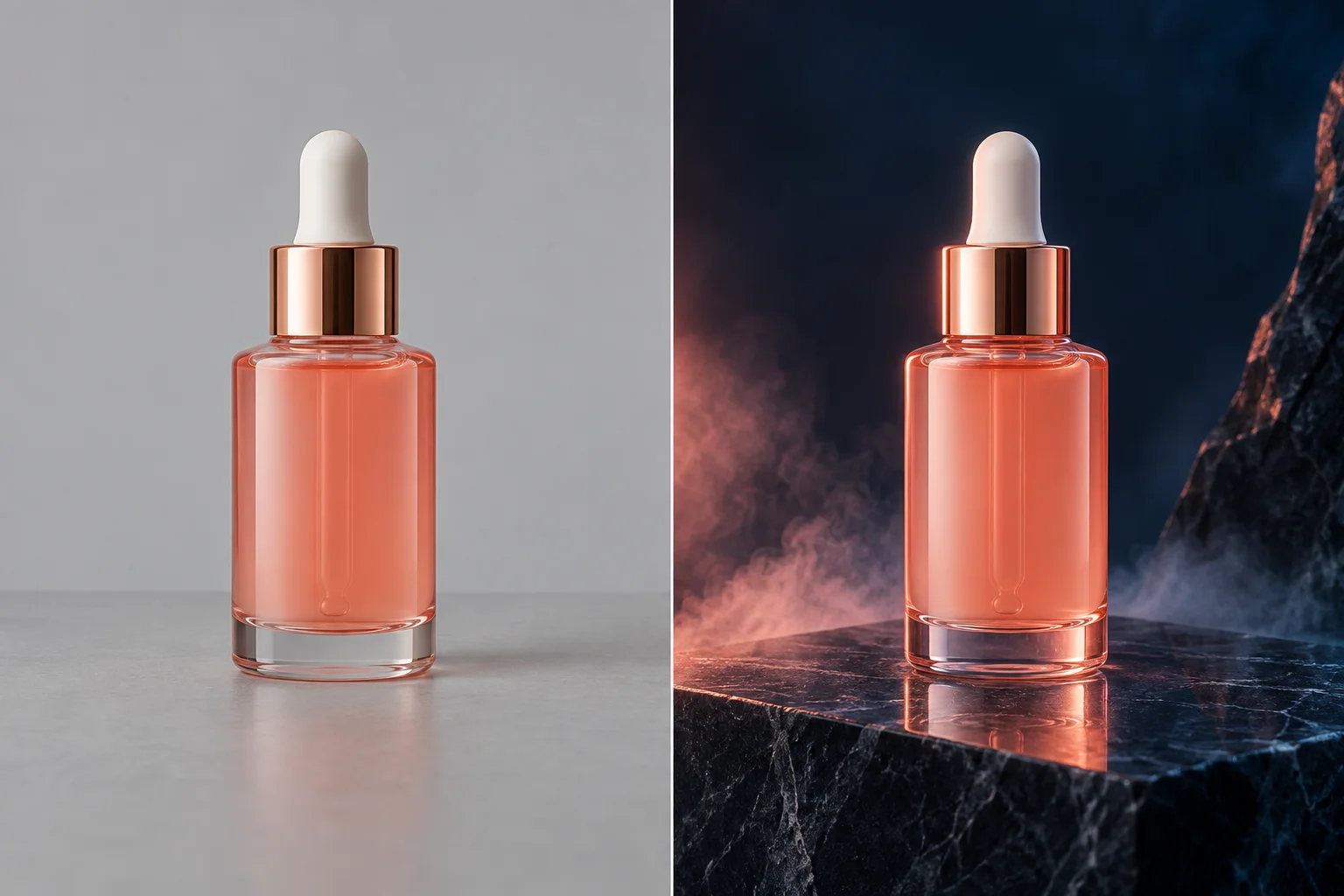
Neutral listing background
Use the AI product background generator for a soft white or warm-gray studio, a grounded shadow, and restrained commercial light when the product itself should carry the page.
01Product staging · studio and lifestyle scenes
The AI product background generator turns one product photo into a directed studio or lifestyle image. Upload the product, describe the setting and light, then inspect the generated result before using it in a listing or campaign.
1
product image
4
lighting directions
100%
review before use
Working image editor
Add a clean product image, choose the lighting direction, and tell the AI product background generator what environment should surround the item. The selected compatible model, controls, and estimated credits remain visible before you start.
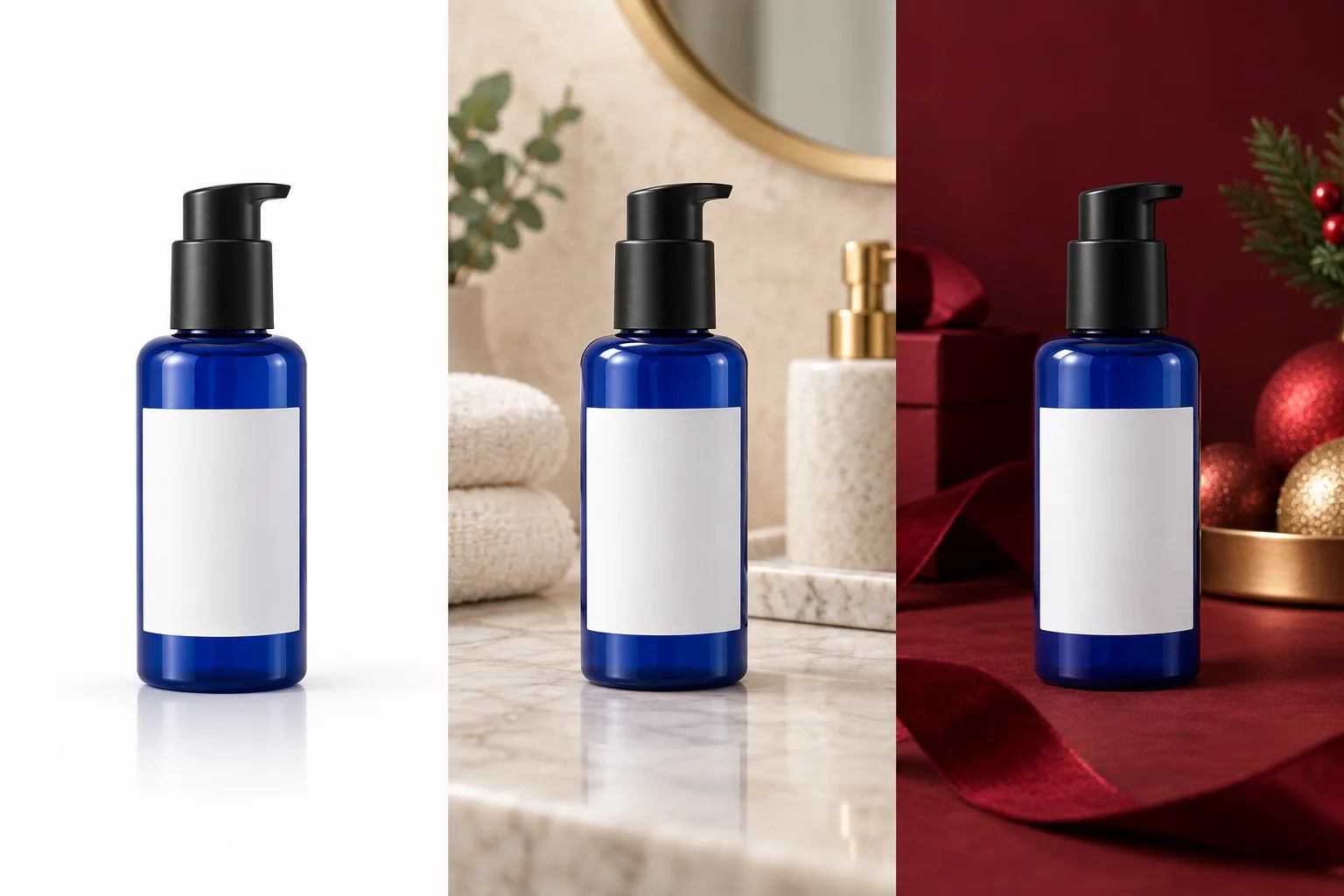
One product · three visual directions
Compare a clean catalog frame, a lived-in lifestyle set, and a more expressive campaign direction while the same product remains the visual anchor.
A focused commercial workflow
An AI product background generator is useful when the product already looks right but its environment does not support the story. It keeps the task narrower than a general image prompt: the item is the reference, while the background, surface, light, and atmosphere are the requested changes.
Use the AI product background generator for a soft white or warm-gray studio, a grounded shadow, and restrained commercial light when the product itself should carry the page.
01Ask the AI product background generator for a believable counter, desk, bathroom, kitchen, or outdoor surface, then specify which props must remain secondary.
02Direct the AI product background generator with a color family, a light source, and one visual motif instead of stacking trend words that compete with the product.
03Start with a source in which the entire product is visible and reasonably sharp. The AI product background generator can then spend more of its work on scene construction instead of guessing missing edges. A simple phone photo can work for the AI product background generator, although a straight angle and even exposure usually make labels, caps, handles, and reflective edges easier to preserve.
Describe the scene as a small art-direction brief. State the surface, distance, background depth, light direction, palette, and camera feeling. The AI product background generator receives that direction together with the uploaded product. Ask for one coherent environment rather than a list of unrelated moods, because a concise brief gives you a result that is easier to judge and refine.
The AI product background generator is not a cut-and-paste operation. The AI product background generator synthesizes a new image around the reference and may reinterpret tiny lettering, transparent edges, or unseen surfaces. Compare the result with the source at full size before publishing it, and keep the original product file as the factual reference.
Prepare the source
The AI product background generator works from pixels that are actually present. A clean source does not need to be professionally photographed, but it should show the product identity, outline, material, and important printed details clearly enough for comparison.
Use the largest original image you have. A screenshot or heavily compressed marketplace download gives the AI product background generator less reliable edge and text information.
Leave a small margin around the item. If the product touches the frame, the AI product background generator may have to invent the missing edge while creating the new environment.
Avoid fingers, clips, stands, or packaging that should disappear unless you explicitly describe them. The AI product background generator can mistake those objects for part of the product.
Check small logos and legal text separately. The AI product background generator aims to preserve them, yet generative image models can distort precise typography.
Transparent glass, glossy metal, and translucent packaging are difficult for an AI product background generator because the original environment is visible through reflections and refraction. Tell the AI product background generator what material it is handling and how strong the reflections should be. Expect to compare more than one result when the new scene differs sharply from the source lighting.
For a white-background listing, ask for a specific white or light-gray sweep, a natural contact shadow, centered composition, and no added props. The AI product background generator may create a polished catalog image, but platform compliance, exact pixel margins, and required background values remain checks you make after download.
Write a better scene brief
A useful prompt for the AI product background generator explains what changes and what must stay stable. Name the product only as needed, preserve its geometry and branding, then describe the new scene in visual terms that can be checked in the result.
Tell the AI product background generator whether the item rests on stone, paper, wood, fabric, water, or a seamless studio sweep, including the color and texture intensity.
01Choose soft studio, daylight, golden hour, or dramatic light. The AI product background generator can make a more coherent shadow when direction and softness are explicit.
02Describe eye level, slightly elevated, close product crop, or generous negative space. The AI product background generator should not be asked to reveal an accurate unseen rear view.
03A practical AI product background generator brief is: preserve the exact bottle, label, cap, color, and proportions; place it on pale limestone in a warm bathroom scene; use soft daylight from the left, a shallow background, and minimal eucalyptus props. That brief tells the AI product background generator both the protected subject and the editable environment.
Refine one AI product background generator variable at a time. If the composition works but the light is flat, keep the scene and change only the light direction. If the AI product background generator changes the label, strengthen the preservation instruction and use a clearer source rather than adding more decorative details.
Review before publishing
The AI product background generator can shorten staging work, but the business still owns the product claim. Review the output beside the source, zoom into identifying details, and reject any version that changes what a customer would actually receive.
Compare the silhouette, dimensions, cap, handle, controls, seams, and accessories. The AI product background generator should not quietly redesign the object.
Read every visible word and logo at 100 percent zoom. An AI product background generator can create letter-like marks that look plausible only at thumbnail size.
Check material behavior: glass should transmit light, metal should reflect consistently, and fabric should keep believable folds. The AI product background generator may simplify these cues.
Inspect contact shadows and reflections for floating edges or impossible light. The AI product background generator can produce an attractive scene with physically inconsistent grounding.
Confirm the new setting does not imply a false feature, size, certification, ingredient, or use. The AI product background generator changes presentation, not the verified product specification.
When an AI product background generator result is close, reuse the same product and tighten the instruction. The AI product background generator shows the available model and parameters so you can understand what changed between attempts. Credit cost depends on that model and its options; there is no promise of unlimited free generation on this page.
Download the AI product background generator result only after it passes the intended channel review. An AI product background generator marketplace thumbnail, paid social crop, and large product detail image expose different defects. The AI product background generator gives you a new visual, while final sizing, color management, copy, and platform requirements remain part of your publishing workflow.
Where it fits
An AI product background generator can help a small team explore several visual directions without rebuilding a physical set for every draft. Use it where a generated environment is appropriate and keep documentary product views available whenever exact evidence matters.
Use the AI product background generator to explore neutral backgrounds and shadows, then validate each marketplace rule and compare the product details with the source.
01Give the AI product background generator a focused palette and one seasonal cue, leaving negative space for copy that you add in a design tool later.
02The AI product background generator can visualize a set idea for internal review before a team spends time on props, locations, or a full studio shoot.
03Connected workflow
Use the parent editor for broader prompt-based image changes that are not specifically product staging.
Animate the approved product image with a controlled camera direction and a real image-to-video workflow.
Create a clean cutout when you need transparency rather than a newly generated environment.
Practical answers
The AI product background generator uses the uploaded product as a reference and generates a new surface, setting, atmosphere, and light around it. Because the full output is synthesized, you should also check the product edge, label, reflections, and fine details.
Yes. Ask the AI product background generator for a white or light-gray seamless studio sweep, centered composition, and a restrained contact shadow. Check the downloaded file against the exact background and margin rules of the marketplace you use.
The workflow tells the AI product background generator to preserve branding, geometry, color, and material, but generative models can still distort tiny text or logos. Compare the output with the source at full size and reject inaccurate versions.
The AI product background generator displays the compatible model, parameters, and estimated credit cost before generation. Actual use requires an Artaivo account and sufficient credits; the page does not promise unlimited free processing.
This AI product background generator page is designed around one product image per generation. It does not claim a batch workflow. Work through important products individually so each generated scene can be compared with its source.
Transparent packaging, mirrored metal, very small print, partially hidden products, and extreme changes in viewpoint are difficult. The AI product background generator can propose a plausible new image, but it cannot recover an exact unseen surface or guarantee typography.
Upload one source, choose the light, describe the scene, and let the AI product background generator create a result you can inspect before use.